
URL Redirects: When to Use 301 vs 302
Redirects are simple in concept: send users from URL A to URL B. But the implementation details matter a lot for SEO. Using the wrong redirect type can tank your rankings or create confusing user experiences.
Why redirects exist
Common scenarios requiring redirects:
- Site migration: Moving from
old-domain.comtonew-domain.com - URL restructuring: Changing
/blog/post-titleto/articles/post-title - HTTPS migration: Redirecting HTTP to HTTPS
- Trailing slashes: Standardizing
/page/vs/page - www normalization: Choosing
www.example.comorexample.com - Content consolidation: Merging duplicate pages
Each scenario has an optimal redirect type.
HTTP redirect status codes
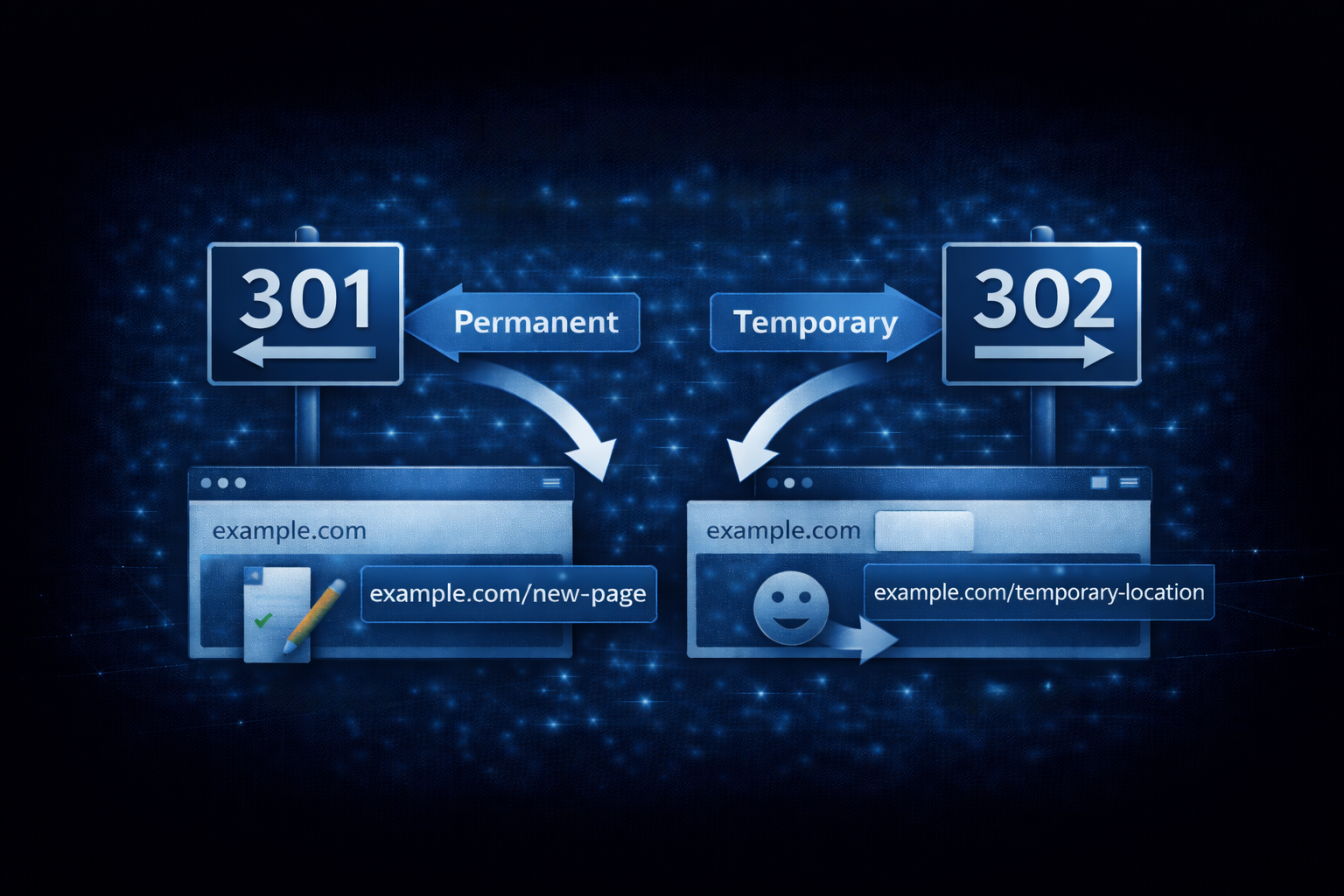
301: permanent redirect
“This page has permanently moved to a new location.”
HTTP/1.1 301 Moved Permanently
Location: https://example.com/new-page
Use for:
- Domain changes
- Permanent URL restructuring
- HTTP to HTTPS migration
- Any permanent move
SEO impact: Search engines transfer most ranking signals (link equity) to the new URL. They’ll eventually stop indexing the old URL.
302: temporary redirect (found)
“This page is temporarily at a different location.”
HTTP/1.1 302 Found
Location: https://example.com/temporary-location
Use for:
- A/B testing
- Maintenance pages
- Geolocation-based redirects
- Any temporary situation
SEO impact: Search engines keep the original URL indexed. Link equity may not transfer.
307: temporary redirect (strict)
Like 302, but guarantees the HTTP method is preserved. A POST stays a POST.
HTTP/1.1 307 Temporary Redirect
Location: https://example.com/new-endpoint
Use for API redirects where method preservation matters.
308: permanent redirect (strict)
Like 301, but guarantees the HTTP method is preserved.
HTTP/1.1 308 Permanent Redirect
Location: https://example.com/new-endpoint
Use for permanent API redirects.
301 vs 302: the common mistake
Using 302 when you mean 301 is one of the most common SEO mistakes.
The problem
If you permanently move content but use a 302:
- Search engines keep the old URL indexed
- Link equity doesn’t transfer fully
- Users might see outdated URLs in search results
When it happens
- Default behavior in some frameworks
- Developers not knowing the difference
- “It works” mentality (both redirect, so who cares?)
The rule
If the move is permanent, use 301. When in doubt, it’s probably permanent.
Temporary situations are rare:
- Actual temporary maintenance
- Testing (and you should clean up after)
- Seasonal content (holiday landing pages)
Redirect chains
A redirect chain is A -> B -> C -> D. Multiple hops before reaching the final destination.
Problems with chains
- Each hop adds latency
- Some link equity is lost at each step
- Wastes search engine crawl budget
- Some browsers give up after 5-10 redirects
Fixing chains
Audit your redirects and point everything directly to the final destination:
# Bad: chain
/old → /intermediate → /new

# Good: direct
/old → /new
curl -IL <url> traces the whole chain and shows every hop, which makes it easy to spot chains that need flattening.
Redirect loops
A redirect loop is A -> B -> A (or longer cycles). The browser keeps redirecting until it gives up.
https://example.com → https://www.example.com → https://example.comCommon causes
- Conflicting redirect rules
- CMS settings fighting server configuration
- Load balancer issues
- CDN configuration errors
Prevention
- Test redirects before deploying
- Use a single source of truth for redirect rules
- Re-trace the chain after every change
Canonical tags vs redirects
Sometimes you need to indicate the preferred URL without redirecting:
Redirect: User physically sent to new URL Canonical tag: User stays on current URL, but search engines know the preferred version
<link rel="canonical" href="https://example.com/preferred-page" />Use canonical when:
- Multiple URLs serve the same content (acceptable)
- You can’t implement a redirect
- Tracking parameters create duplicate URLs
Use redirect when:
- Old URL should no longer exist
- Clear 1:1 URL replacement
- Consolidating domains
Implementation examples
Apache (.htaccess)
# 301 Redirect single page
Redirect 301 /old-page https://example.com/new-page

# 301 Redirect entire directory
RedirectMatch 301 ^/old-dir/(.*)$ https://example.com/new-dir/$1

# Force HTTPS
RewriteEngine On
RewriteCond %{HTTPS} off
RewriteRule ^(.*)$ https://%{HTTP_HOST}/$1 [R=301,L]
Nginx
# Single page redirect
location = /old-page {
    return 301 /new-page;
}

# Directory redirect
location /old-dir/ {
    rewrite ^/old-dir/(.*)$ /new-dir/$1 permanent;
}

# Force HTTPS
server {
    listen 80;
    server_name example.com;
    return 301 https://$server_name$request_uri;
}
Vercel (vercel.json)
{
  "redirects": [
    {
      "source": "/old-page",
      "destination": "/new-page",
      "permanent": true
    }
  ]
}
Netlify (_redirects)
/old-page /new-page 301
/old-dir/* /new-dir/:splat 301
Redirect best practices
1. Audit before major changes
Before restructuring URLs:
- Crawl your site to get all current URLs
- Map old URLs to new URLs
- Implement redirects for every change
- Test before going live
2. Keep redirects forever
Old URLs might have backlinks you don’t know about. Removing redirects breaks those links and loses any remaining equity.
3. Avoid chains
Every redirect should go directly to the final destination. Audit periodically for accumulated chains.
4. Monitor after changes
Check Google Search Console for:
- Crawl errors
- Indexing issues
- Soft 404s (pages that look like errors)
5. Test your redirects
Before deploying, verify:
- Correct status code (301 vs 302)
- Correct destination URL
- No chains or loops
Trace the URL’s full redirect path (curl -IL) and verify each hop returns the status code you intended.
Common redirect scenarios
HTTP to HTTPS
Always use 301. This is permanent.
server {
    listen 80;
    return 301 https://$host$request_uri;
}
Non-www to www (or vice versa)
Pick one and stick with it. Use 301.
server {
    server_name example.com;
    return 301 https://www.example.com$request_uri;
}
Trailing slash normalization
Decide on a standard and redirect the other:
# Add trailing slash
rewrite ^([^.]*[^/])$ $1/ permanent;

# Remove trailing slash
rewrite ^/(.*)/$ /$1 permanent;
Domain migration
Redirect everything from old domain to new:
server {
    server_name old-domain.com;
    return 301 https://new-domain.com$request_uri;
}
Take action
- Trace your key URLs end to end
- Identify any redirect chains and flatten them
- Verify you’re using 301 for permanent moves
- Look for any 302s that should be 301s
For help with URL strategy or site migrations, reach out.
Need help shipping?
I build and ship software for clients, from AI features to performance and SEO fixes, with weekly demos and full code ownership.
Tell me what's stuck